Glucose basics
Making the most out of your Stelo Glucose Biosensor
Published: Feb. 5, 2025
Updated: Mar. 16, 2026
7 min read
The content in this article should not be taken as medical advice. Please consult with your healthcare provider regarding your individual health needs.
Did you know that glucose is your body’s main fuel source? From providing energy for your cells to supporting vital organ function, glucose plays a critical role in your overall health and well-being. And keeping glucose levels stable is essential for keeping your body functioning at its best.
Whether you’re managing diabetes or interested in tracking your glucose levels for optimal health, a wearable glucose biosensor like Stelo can help you reveal connections between daily activities and glucose levels, so you can make informed decisions about food, physical activity, and more.
Use these key features to get the most out of Stelo
Stelo gives you 24/7 access to personal glucose insights, empowering you to uncover what works for you. Here are some of the top ways you can make the most of Stelo.
1. Enhanced meal logging, your way
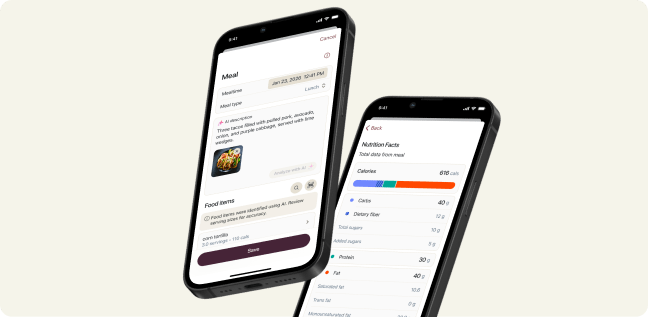
Easily capture what you eat with Smart Food Log to manage specific goals or understand what’s driving your glucose trends. Various logging options let you capture your meal, your way—type it in, scan a barcode, or snap a photo, and get a detailed nutrition breakdown in seconds.
Once your food is logged, Stelo uses its trusted nutrition database to deliver nutrition insights—including carbs, fiber, protein, and fat—in seconds. This makes it easy to connect what you ate with how your body responded. Each meal also appears alongside its timing on your glucose graph, making it easy to connect what you ate with how your body responded. This feedback can help you feel more informed and empowered at every meal.
2. Personalized daily insights
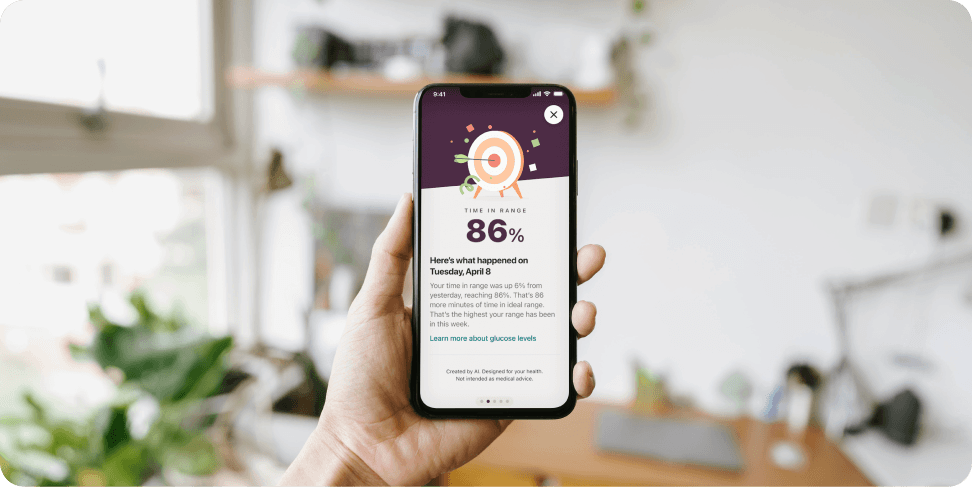
Trade guesswork for confidence with personalized daily insights. Ongoing, adaptive coaching evolves with your unique patterns and progress, delivering easy-to-digest daily summaries and tips. Each insight is informed by your recent glucose trends and health goals, helping you clearly understand what’s working for you.
3. Glucose spike detection
Stelo lets you know when meaningful glucose spikes happen, so you can better understand them and adjust your habits to minimize them. You can log why the spike may have started, or, if you want to add this later, you can find your spike start time in the Events tab.
4. Weekly Spike Report
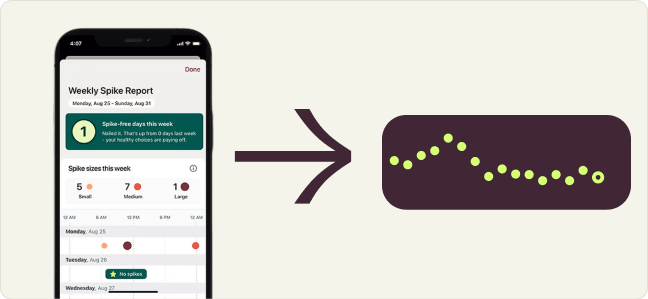
Get a clear breakdown of how many glucose spikes you had each day, how big they were, and exactly when they happened. With a quick glance, you can spot patterns, track progress, and connect your choices to your glucose response over time. It's a simple way to turn your data into valuable insight.
5. Glucose pattern detection
Stelo reveals glucose patterns that help you turn insights into action. There are two types of pattern detection insights in the Stelo app, including Spike Pattern Insight (when your glucose spikes around the same time for several days in a row) and Low Pattern Detection Insight (if your glucose has a pattern of going below 54 mg/dL).
6. In-app learning
Knowledge is power—keep your glucose game strong with in-app learning from Stelo. Make confident choices and build healthier habits with expert-curated information, practical tips, and inspiring guidance—available right in the Stelo app.
7. Dexcom Clarity app
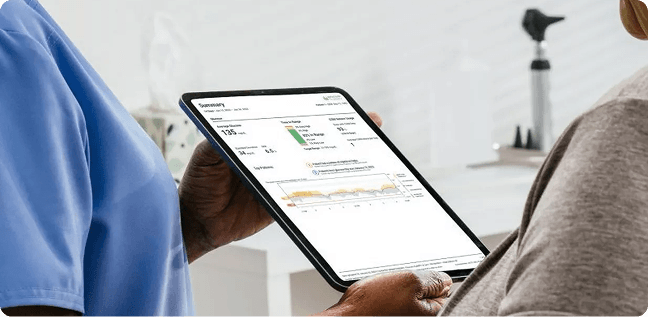
Once you become a Stelo user, you’ll have access to Dexcom Clarity*, which allows you to see even more data than what’s available in the Stelo app.
With Dexcom Clarity you can:
- Get better visibility to the time spent outside of the 70 mg/dL – 250 mg/dL trend graph range
- Easily share your Stelo data with your healthcare provider using the Clarity Clinic extension available in your Stelo app settings
- Share up to 90 days of your glucose data history with your healthcare provider

Pro tip: You can access up to 180 days of your glucose data history right in the Stelo app.
*An internet connection is required for users to send their glucose data to Dexcom Clarity via a compatible smart device: stelo.com/compatibility.
Experiment with food and activity using Stelo
When you first start using a glucose biosensor like Stelo, you may
be surprised by how certain meals or activities impact your glucose. When you begin tracking your glucose, try experimenting with food and activity to learn what works best for your body.
Pair protein with carbs
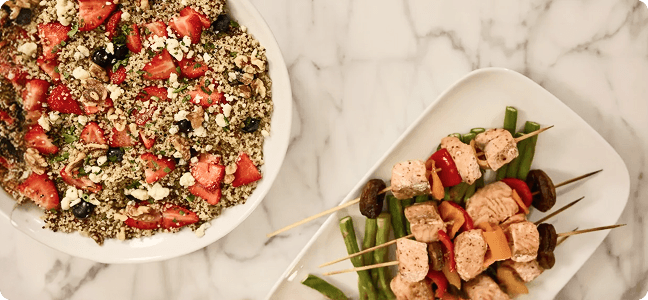
Pairing protein and fat with high-glycemic carbohydrates glucose can help you feel full and potentially avoid a big glucose spike.
Check out these protein pairing suggestions:
- For breakfast, pair whole wheat toast with half an avocado, two eggs, and a handful of berries
- For lunch, pair baked salmon with roasted vegetables and brown rice
- If you’re eating pasta for dinner, try adding protein and non-starchy vegetables like broccoli or spinach to help keep your glucose more stable

High-fiber food swaps
High-fiber foods can also slow a spike—try these swaps to see if you notice a difference.
- Trade white rice for high-fiber brown rice
- Swap regular pasta for a high-fiber option, like whole wheat pasta or chickpea pasta
- In baked goods, replace white flour with oat, almond, or buckwheat flour
Incorporate activity after mealtimes
Another way to experiment with meal-time glucose management is to see how engaging in some physical activity after eating affects your glucose.
- Try eating the same dinner two days in a row but take a 10-minute walk after only one of the meals to see the difference in your post-meal glucose
- After breakfast, do some housework, like sweeping, laundry, or vacuuming to see if it helps you avoid a glucose spike
- If you’re at work, try using a standing desk after eating instead of sitting

Want even more ways to optimize your habits with Stelo?
See your glucose data from your Apple Watch
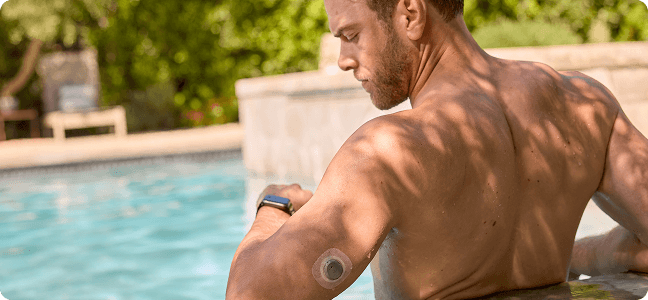
You can get your glucose data right on your compatible Apple Watch when connected to a compatible iPhone.* So when you’re out and about, you can simply glance at your wrist to see your latest glucose data.
Note: Your smart watch communicates with your smartphone, not the sensor, so you’ll still need to have your smartphone with you.
Connecting the dots
Using a glucose biosensor like Stelo can help you see how lifestyle choices like food and activity affect your glucose levels. Once you start to see what works best for you, that’s when the real change begins. Healthy habits, here we come.

Curated & reviewed by: Jami Klein,
RN, BSN, CDCES
RN, BSN, CDCES
Jami Klein is a registered nurse and certified diabetes care and education specialist with extensive experience in both clinical settings and diabetes industry.

Written by: Stelo Team
*Smart devices sold separately. For a list of compatible devices, visit stelo.com/compatibility.