Can I get my Stelo glucose data directly on my Apple Watch?
Yes, you can get your glucose data directly on compatible Apple Watch devices,* even without your phone being nearby.
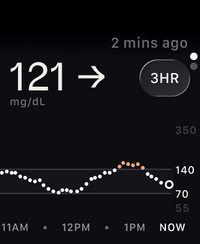
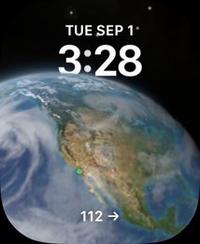
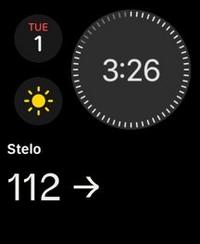
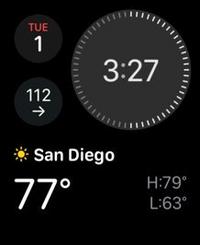
Your glucose data updates every 5 minutes on your Apple Watch, just like it does in the app. You can even switch between a few different watch faces for new views of your data.
How to connect your Apple Watch to Stelo
Before you get started:
- Make sure you're using Stelo app version 3.3 or later
- Ensure your compatible* Apple Watch is paired with your iPhone
- Install and open the Stelo app on your Apple Watch
- Ensure you have an active sensor session going in the Stelo app
Then follow these steps:
- Open the Stelo app on your iPhone.
- Go to Settings>Watch.
- Turn on Direct to Watch.
- Follow the prompts on your Apple Watch to complete setup.
- Accept the Bluetooth pairing request when it appears.
- Keep your watch near your sensor while they connect. Pairing usually takes less than five minutes.
Once setup is complete, your Apple Watch can receive glucose data directly from your sensor, even when your phone isn't nearby.
For Stelo app versions 3.2 and earlier
- Waking up your Apple Watch updates your glucose data from your phone, so there might be a brief delay.
- You won't get notifications or glucose data on your watch unless your phone is nearby and within Bluetooth range of your biosensor.
MAT-4573
Related articles
How do I share Stelo glucose data with Apple Health app?
To share your Stelo glucose data with the Apple Health app on your iPhone go to Settings, Connections and follow the instructions on screen.